Support
If you require help with using CoBaseKRM, you have the following resources to choose from.
Documentation
To view the user documentation for CoBaseKRM, click or tap the Support - Documentation menu option in the navigation bar of the web client.
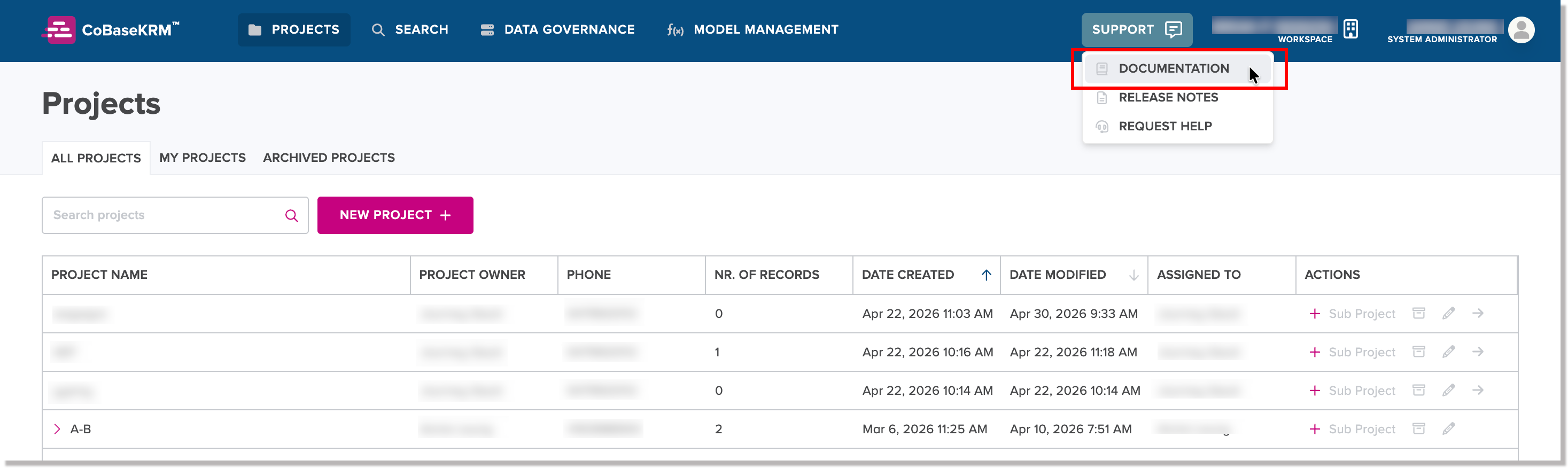
The CoBaseKRM user documentation home page will open in a new window in your default browser.
Release notes
To view the latest release notes for CoBaseKRM, click or tap the Support - Release Notes menu option in the navigation bar of the web client.
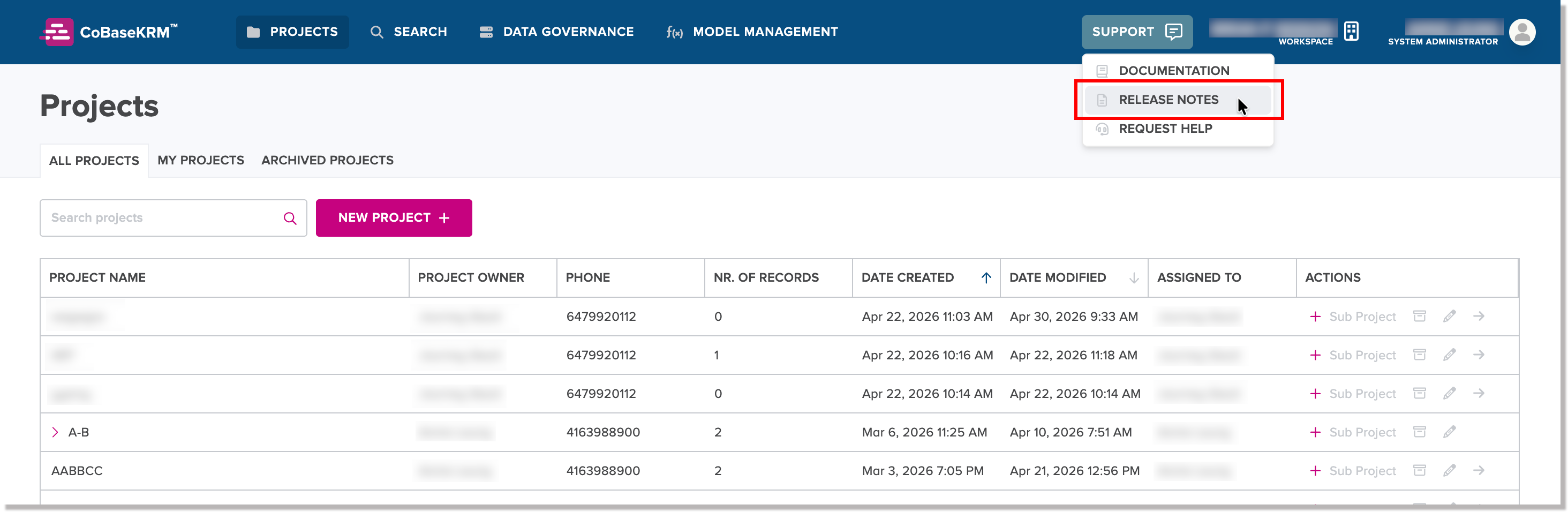
The release notes page will open in a new window in your default browser.
Support request form
If you would like submit the support request form for a problem or an user experience issue, click or tap the Support - Request Help menu option in the navigation bar of the web client.
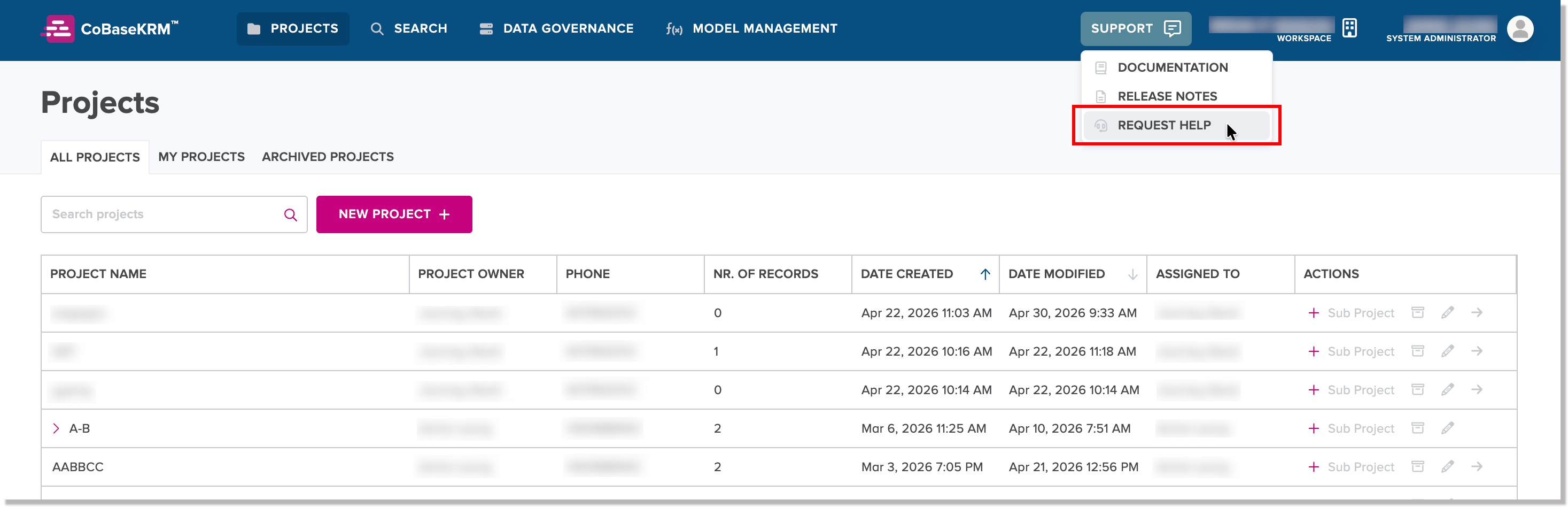
You will be navigated to the Support Request Form.
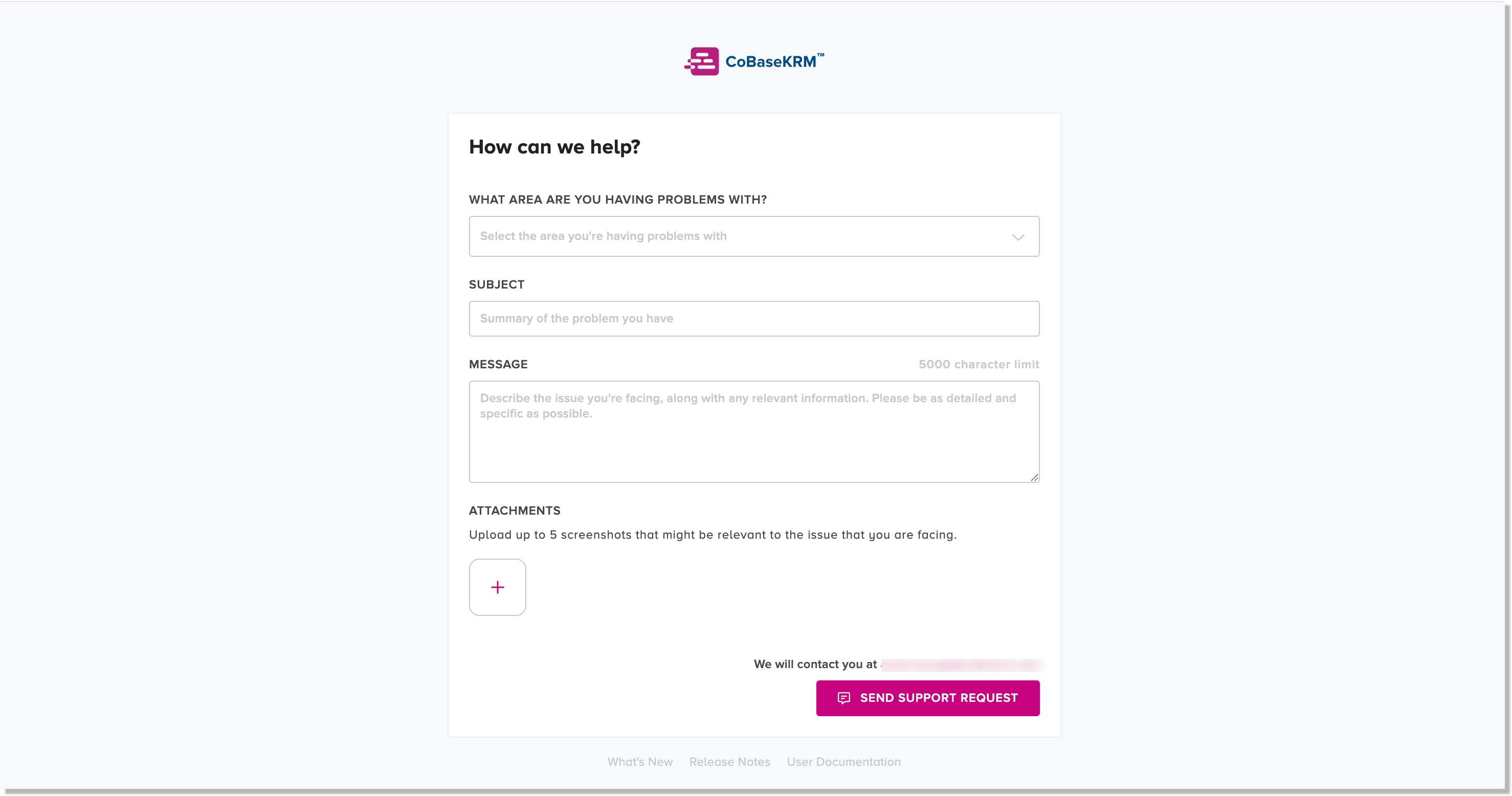
To fill out the Support Request Form:
-
In the area of application environment field, click or tap to select the area of the CoBaseKRM application environment for the problem you are experiencing.
-
In the Subject field, enter a subject line for the problem you are experiencing.
-
In the Message field, enter a description and any other relevant information for the problem you are experiencing.
-
In the Attachments section, click or tap the add button
 to attach up to five (5) screenshots that are related to your problem.
 -
Click or tap Submit Support Request.
Predictum appreciates your taking the time to submit a support request form. A member of the CoBaseKRM technical support team will respond to your request shortly.