Invite users to a workspace
Permissions and access
Minimum role: Lab manager
Client type: web client
Inviting users to a workspace is an essential task that is performed during the first-time setup of the CoBaseKRM system environment and whenever needed when a new workspace is created.
If you are an administrator who is required to invite users to a workspace, you perform a set of steps to invite new users as join as users belonging to a workspace.
Once a new user has received a notification email message, he/she is required to respond to an invitation to join a workspace. The process of joining a workspace for a new user includes creating a user account.
To assign a member to a workspace:
-
Click or tap the user account icon in the navigation bar to display a menu and select Settings.
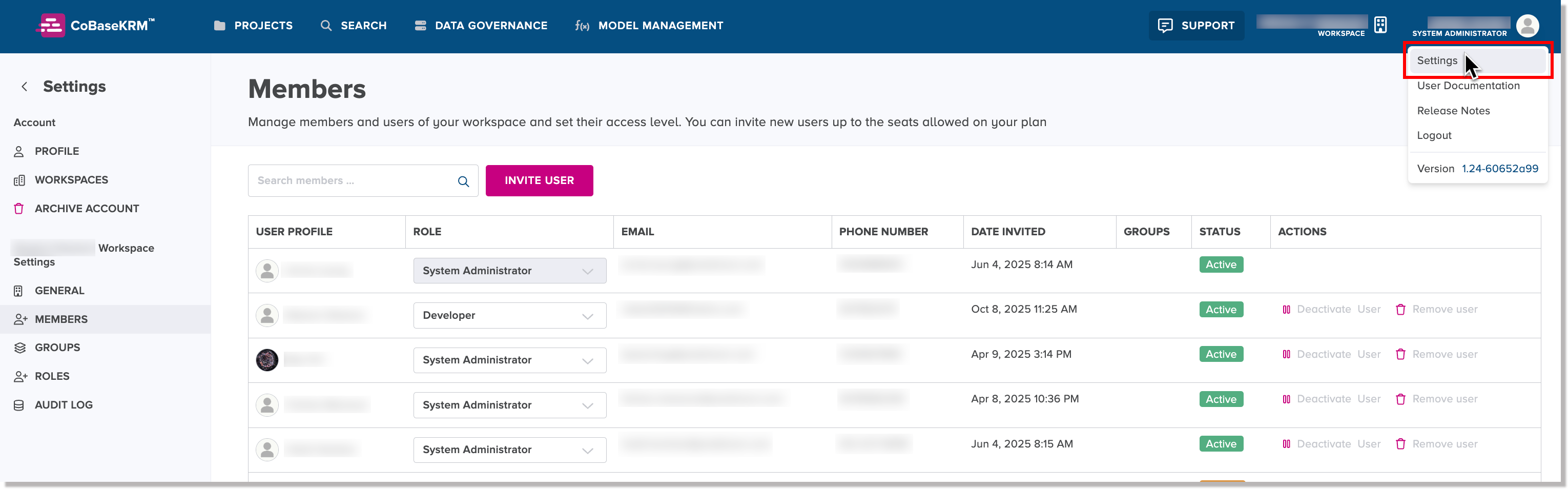
You are navigated to the Workspace Settings view.
-
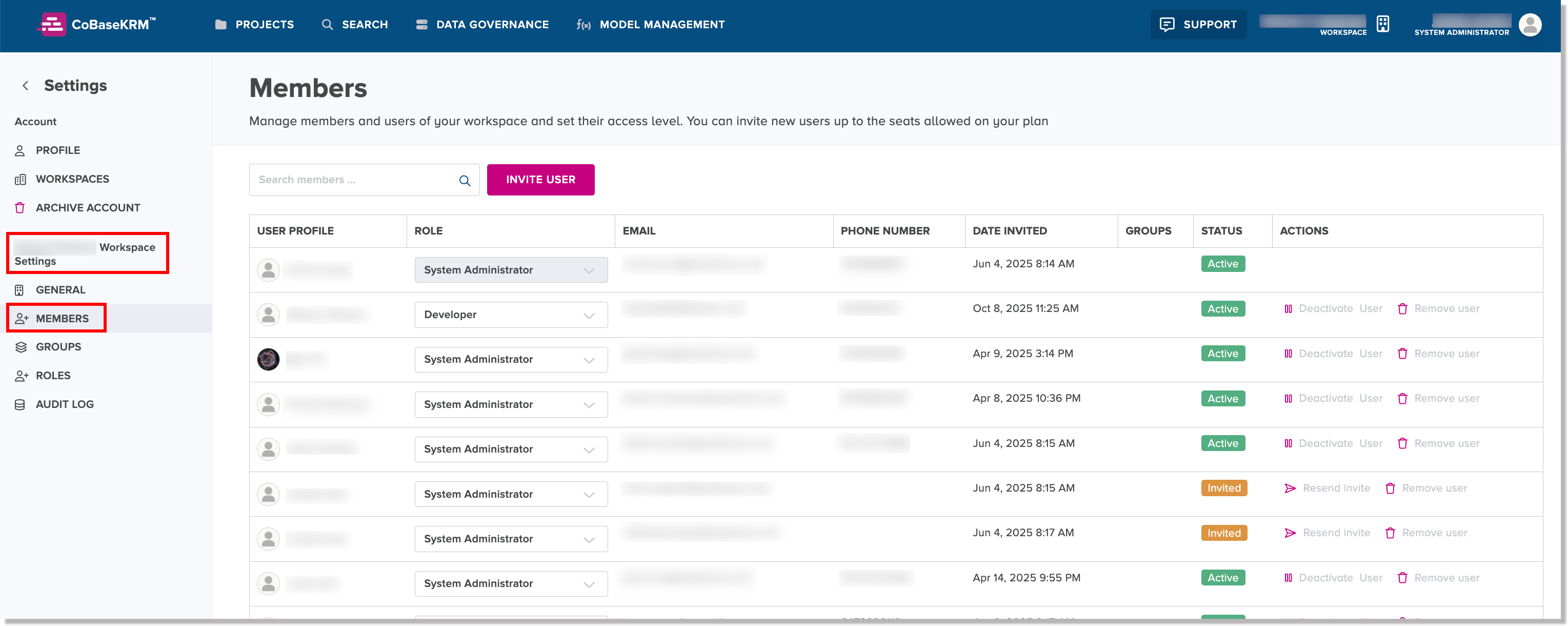
In the left panel under the Workspace Settings section, click or tap the Members tab.
-
Click or tap the Invite User button.
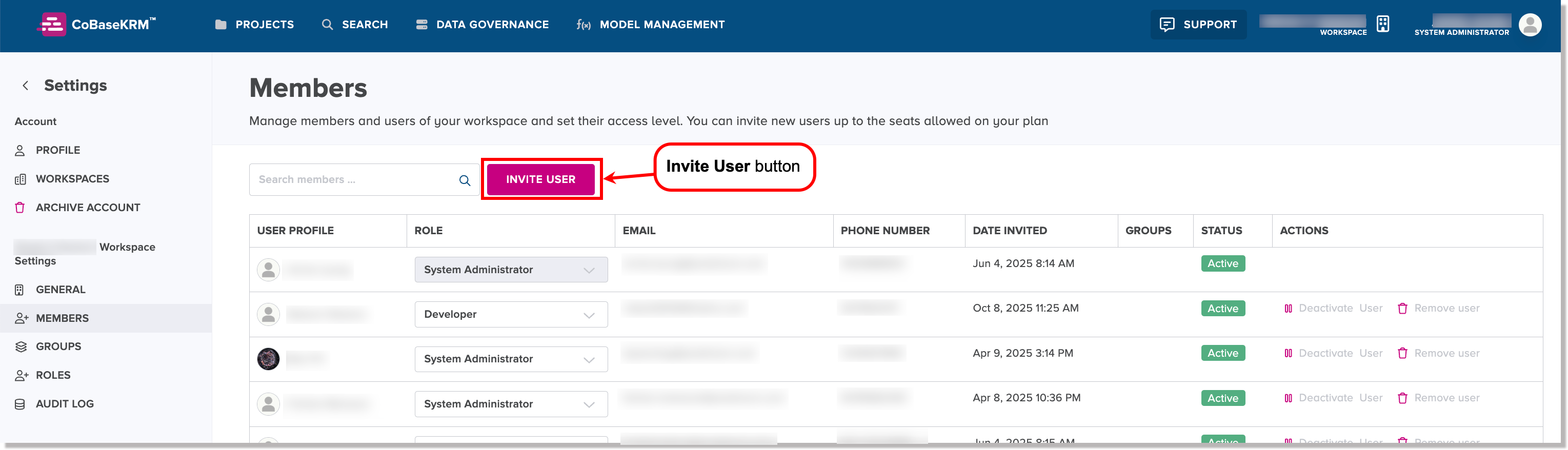
The Invite use to join workspace dialog appears.
-
In the Email field, type the email address of the new user.
-
In the Assign Role field, select the role to be assigned to the new user.
-
Click or tap the Invite User button in the dialog.
CoBaseKRM sends a "Welcome to workspace" email notification to the new user.
Note
If the user does not see the email notification in his or her inbox, please direct him or her to check his or her spam folder or quarantined messages folder. The invited user will have one week by default to respond to the invitation to join a workspace in CoBaseKRM. Please request that your IT department whitelist the URLs for predictum.com and cobasekrm.com to ensure that you receive related email notifications in your inbox.
The remaining steps to complete the procedure for assigning a member to a workspace are completed by the invited user, as described in the section about responding to an invitation to join a workspace.