General settings for an account
Permissions and access
Minimum role: Lab manager
Client type: web client
Change the information for your account
The General tab lets you update the information associated to your business account.
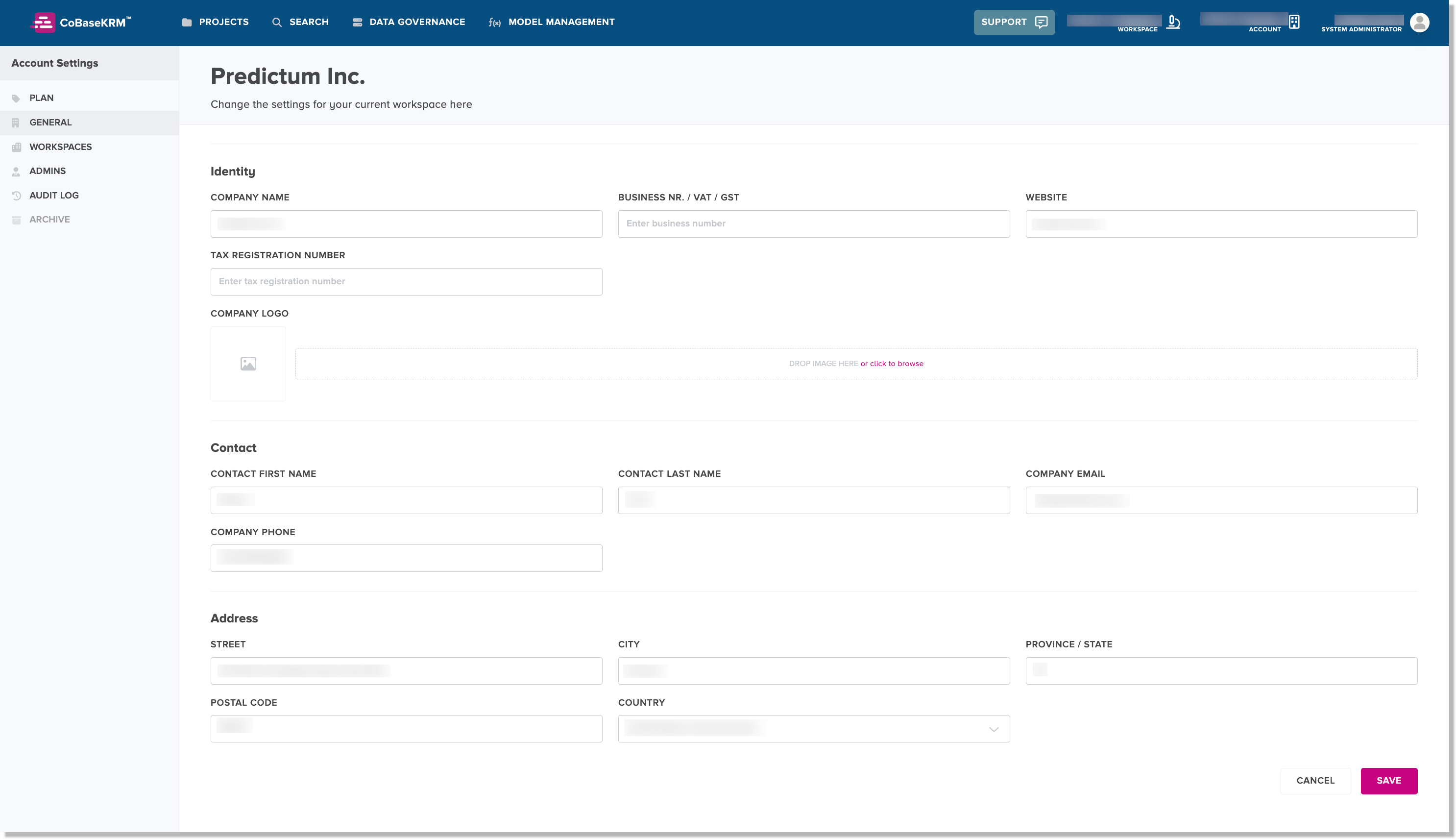
To change the information for your account:
-
In the web client, navigate to the Account Settings > General tab.
-
Change the values of the input fields, as needed:
Section Input Field Description Identity Company Name Enter the name of your company or organization. Business Number Enter your company's business number. Website Enter the URL of your company's website. Tax Registration Enter your company's tax registration number. Contact Contact First Name Enter the first name of the contact for your company. Contact Last Name Enter the last name of the contact for your company. Company Email Enter the email address for your contact. Company Phone Enter the phone number for your contact. Address Address 1 Enter the primary address for your company. Address 2 Enter the secondary address information for your company. City Enter the city in which your company is located. Province/State Enter the province or state in which your company is located. Postal/Zip Code Enter the postal code or zip code for your company's address. Country From the drop-down list, select a country in which your company is located. -
Click or tap Update.