Roles for a workspace
Permissions and access
Minimum role: Administrator
Client type: web client
Overview of permissions
Permissions are individual capabilities that are assigned to roles. Roles are grouped permissions that are assigned to members of a workspace to manage and control navigation, data access, and certain functions. Permissions are managed on the Workspace settings > Roles tab.
Permissions and supported capabilities are listed by the following data objects.
Data objects controlled and managed by permissions
The following data objects are controlled and managed by permissions.
- projects
- templates
- units of measurement
- unit categories
- domains
- parameters
- templates
- workspaces
- records
- tags
- tag types
- system configurations
Capabilities
The following capabilities are supported in the CoBaseKRM application.
| Capability | Description |
|---|---|
| view only | Allows users to view specified data objects, but is not allowed to create, edit, or remove specified data objects1 |
| create | Allows users to create specified data objects. |
| edit | Allows users to edit or change the details of specified data objects |
| delete | Allows only administrators to remove specified data objects from views and delete them from the database |
| archive project | Allows only administrators to archive projects according to certain statuses or business reasons |
| delete archived project permanently | Allows only administrators to delete projects permanently |
Roles
Roles are predefined, logical groupings of permissions and capabilities to manage and control navigation and the use of certain functionality in a workspace.
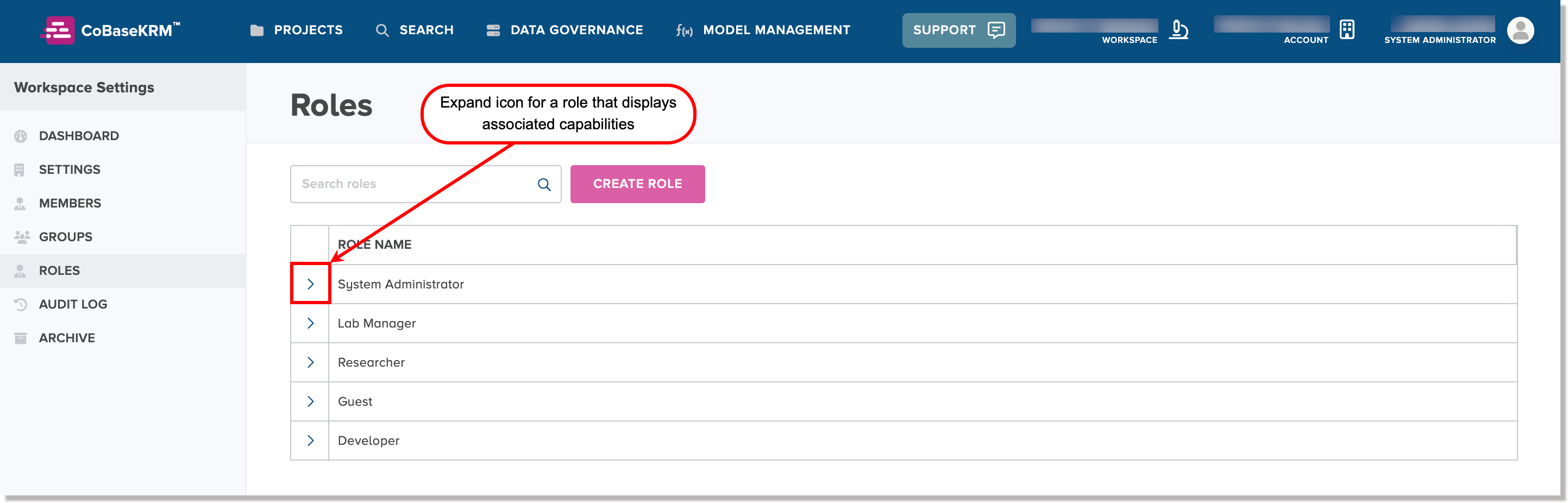
In the Workspace settings > Roles tab, each role is displayed in an accordion panel, which is collapsed by default. To view the assigned capabilities for a role, click or tap the expand (>) icon on the left side of a collapsed accordion panel for a role.
When an accordion panel for a role is expanded, you can see a table of assigned capabilities, which are indicated by a checkmark symbol  .
.
Supported roles are briefly described in the following list.
| Role | Description |
|---|---|
| Administrator | The highest level of permissions for managing and controlling the permissions of all other users for the same organization through the Cloud app.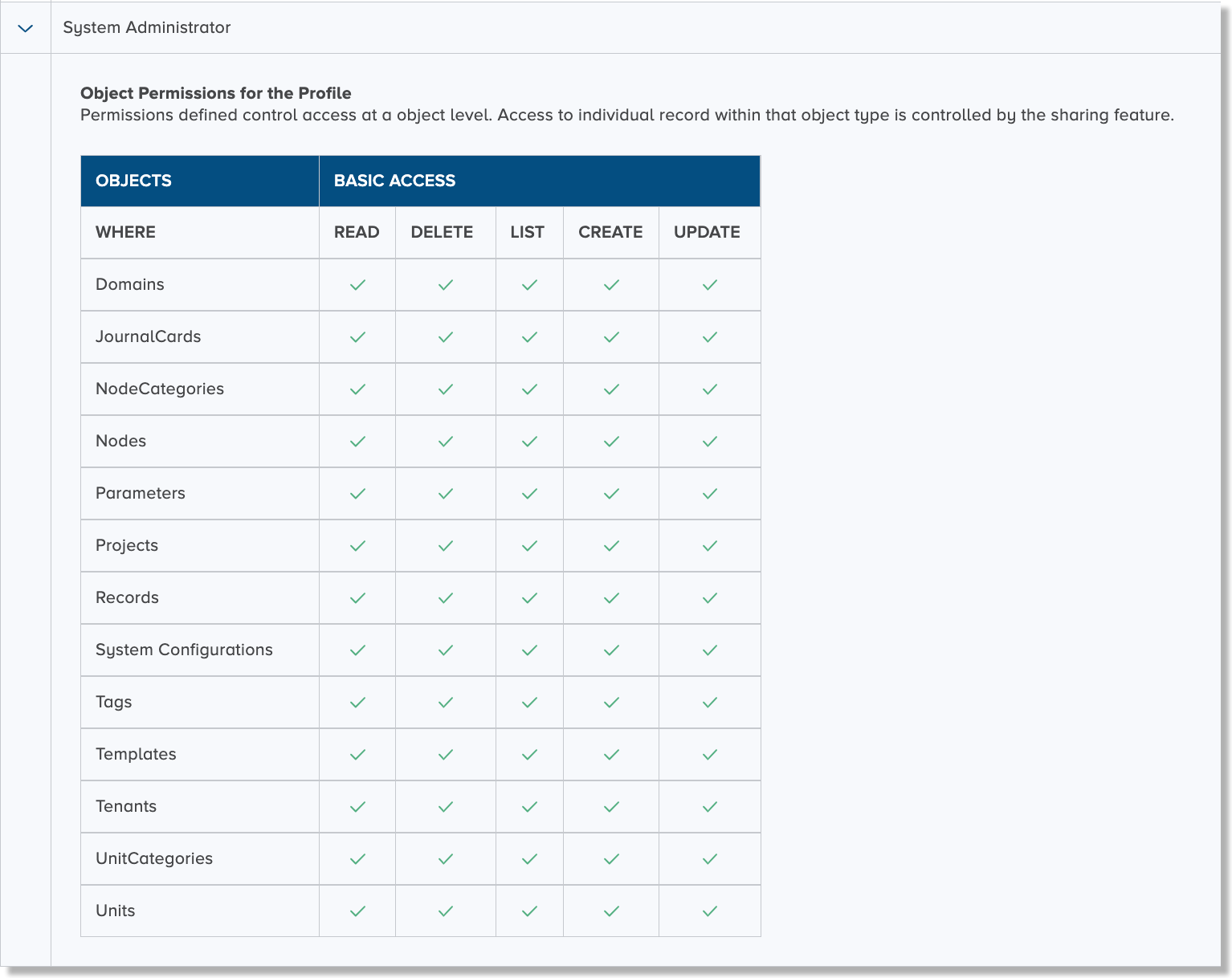 |
| Lab Manager | The second-highest level of permissions through the Cloud app. The only permissions that are excluded from being granted to a Lab Manager are: - Ability to view a workspace to which the lab manager role is not assigned. - Ability to delete a workspace to which the lab manager role is not assigned. 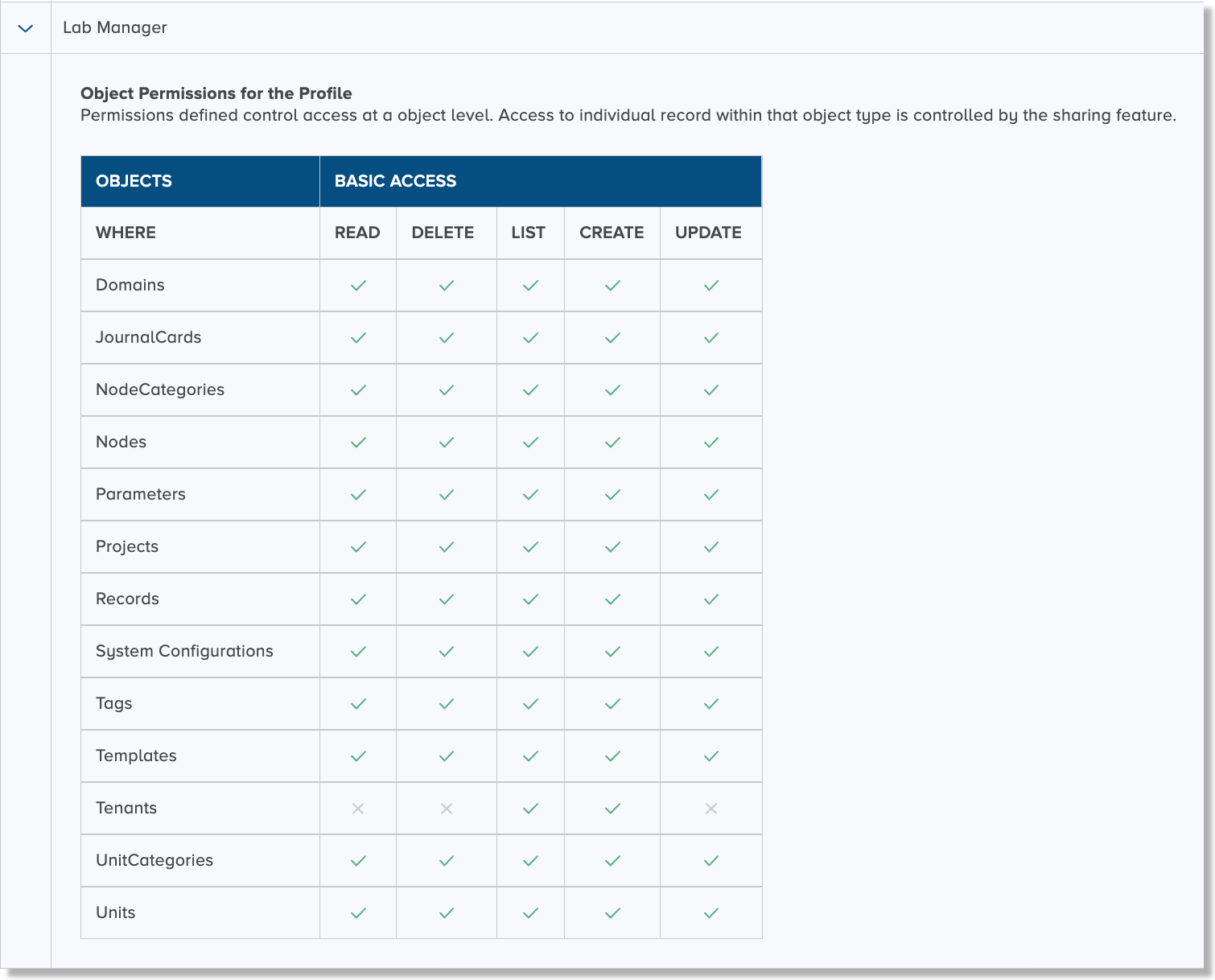 |
| Researcher | A limited set of permissions to enable navigation and use of the supported functions in the CoBaseKRM desktop app.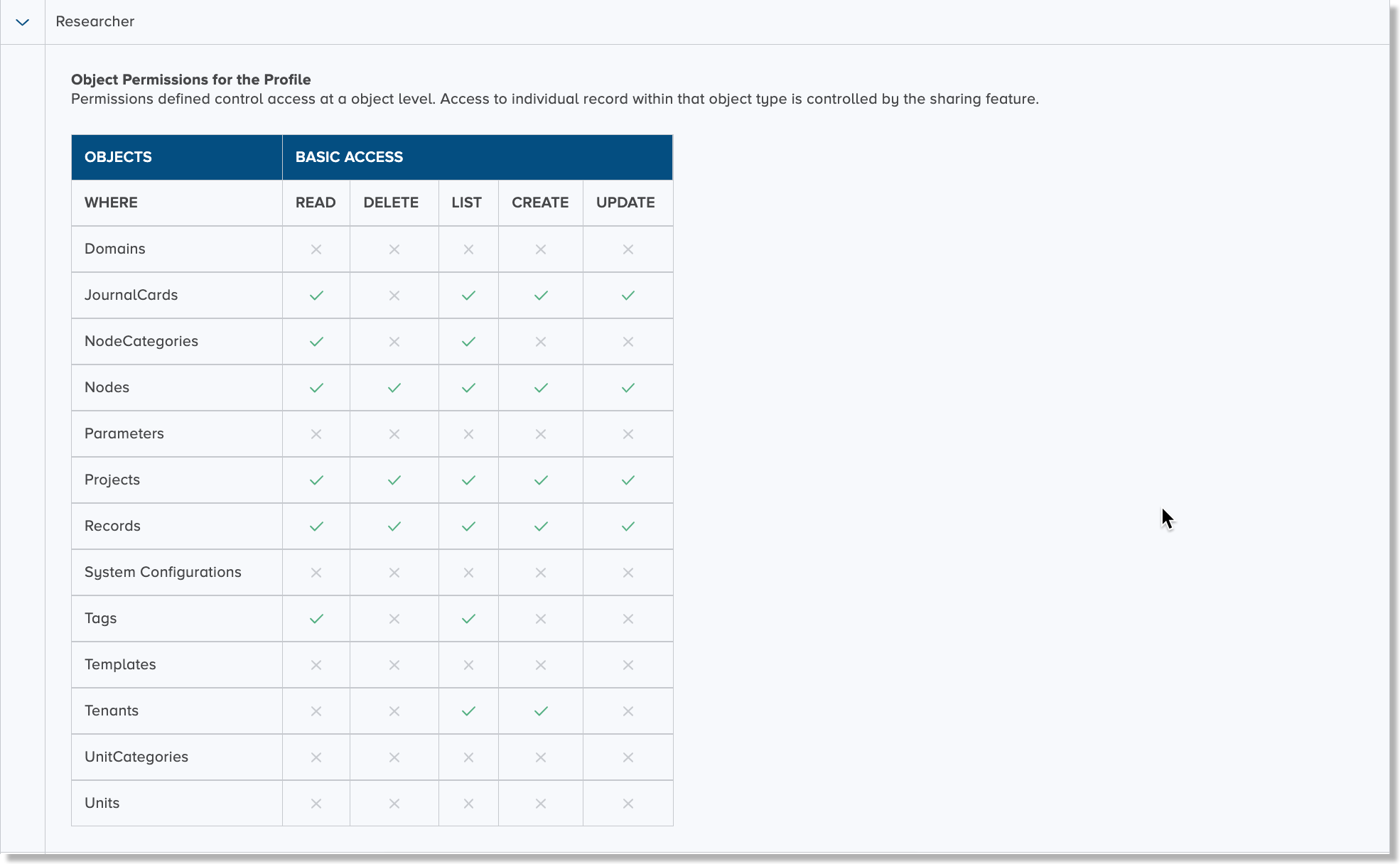 |
| Guest | A very limited set of permissions for view-only capabilities for specific areas of CoBaseKRM desktop app.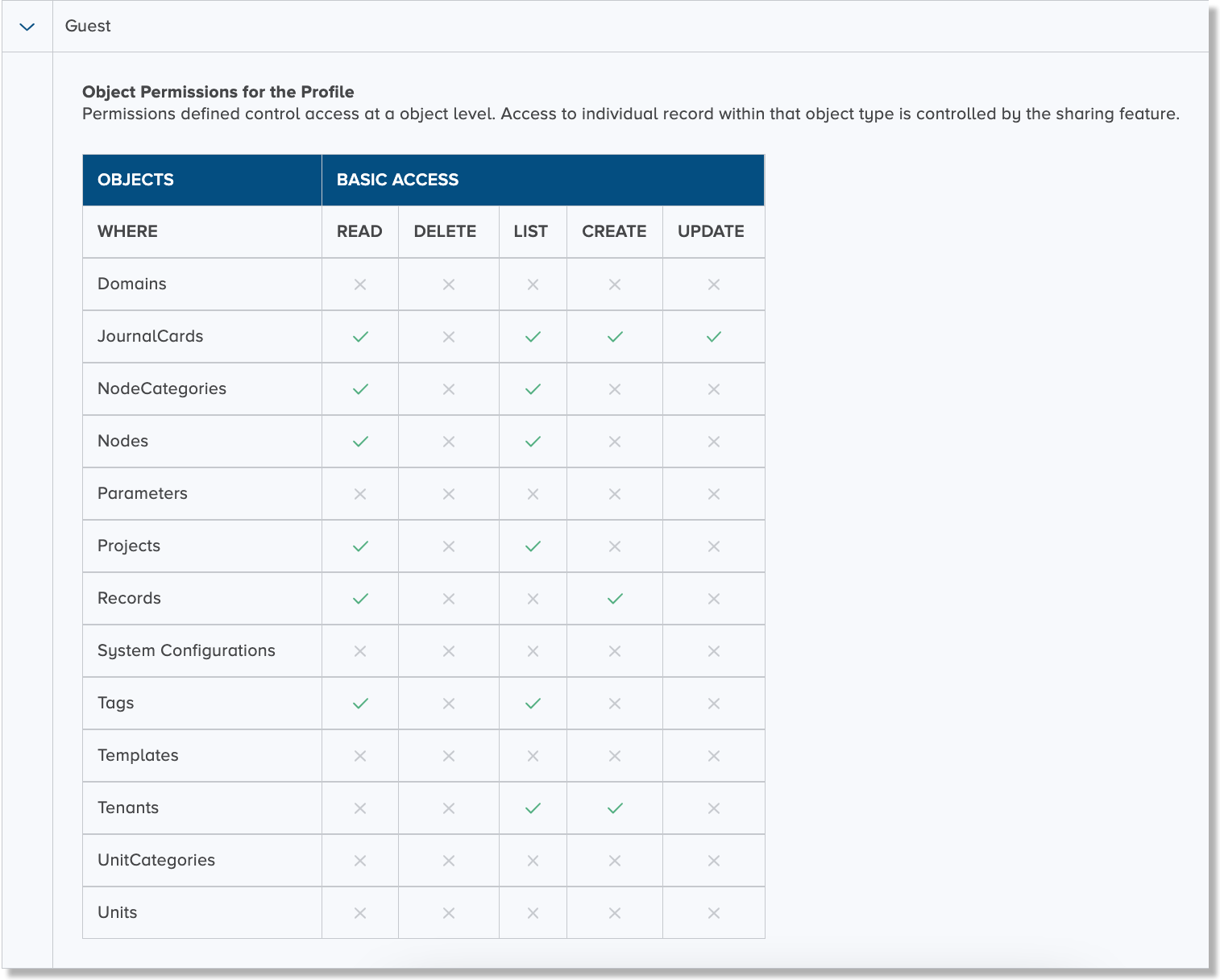 |
-
Projects created by a minimum role of Lab manager are not visible by other roles that have fewer permissions. ↩